
Enterprise Search
Hardware for Local LLMs: Which Machine Fits Your Model and Your Workflow
Whether a model fits into memory is the first question – how fast it gets your work done is decided by three others: How long are the inputs, how many requests run at the same time, and do the published benchmarks measure your workflow at all? With these three questions you will find the hardware that fits your model.
by Sebastian @searchit · · 17 min read
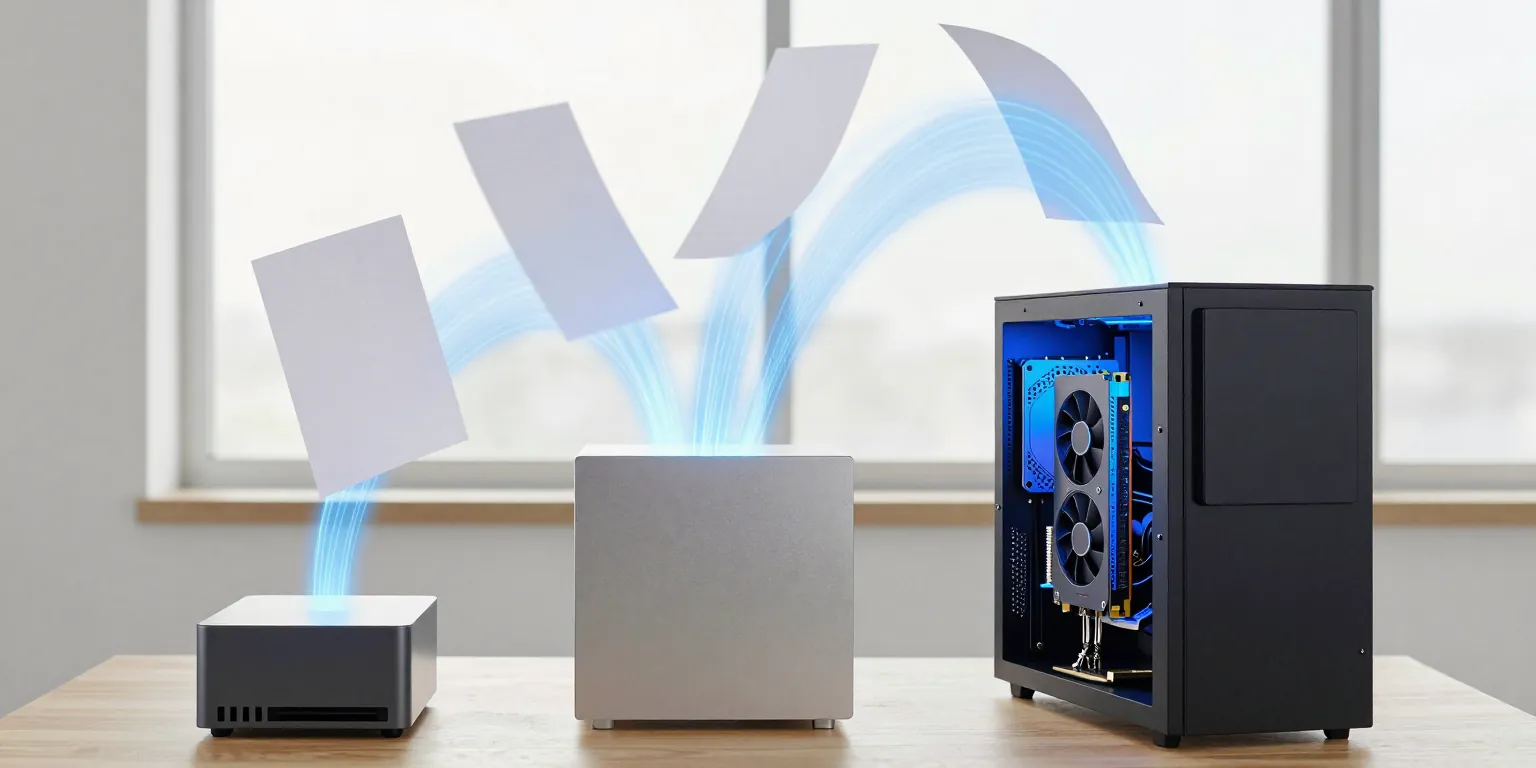 AI-generated
Anyone who wants to run a large language model (LLM) in-house usually asks about graphics memory first. And to be fair, that is the right first question, because it decides whether a model runs at all. What it does not answer is how fast the model gets your work done. A machine with twice the memory can deliver a tenth of the performance for your task – and a card with less memory ten times as much. Yes, it really is that crazy.
This post sorts the hardware by the questions that make the difference: from the AI box on your desk to the Mac Studio to the workstation with an NVIDIA card. And it shows where published measurements stop telling you anything about your workflow – which is exactly where it gets interesting.
In short: what fits whom
- Few users, short questions, a quiet workplace: A Mac Studio or an AI box of the NVIDIA DGX Spark class is enough. Both hold large models too and sit on your desk without fan noise.
- Long inputs – documents, search results, agents – or many requests at the same time: A workstation with an NVIDIA card from the RTX PRO series is built for this. With the serving software vLLM it handles dozens of requests at once and delivers many times the throughput in measurements – even with less memory than a large Mac.
- A one-off large batch: First do the maths for access through an API with processing in the EU. Your own hardware pays off under constant load – or where the data should not leave the building.
The three questions before you buy
- Which model? Size and architecture determine the memory requirement. A model with around 26 billion parameters takes up about 16 GB in 4 bit, about 26 GB in 8 bit. Models built on the Mixture of Experts (MoE) principle compute each token with only part of their parameters – a bit like a large team where never everyone talks at once. They are fast at writing, but all parameters still sit in memory.
- How long is the input? Every token the model has to read costs compute time and takes up additional memory. A short chat question is something else entirely from an agent reading 20,000 tokens of search results and document excerpts.
- How many requests at the same time? One person in a chat, ten colleagues with an agent or a batch of 500,000 documents – these are three different load profiles, and they call for different hardware.
Reading and writing: two different bottlenecks
A language model processes every request in two steps:
- Reading (prefill): The model processes the entire input at once. This is a large computing task – what counts here is the compute power of the graphics processor.
- Writing (decode): The model generates the answer token by token, reading its weights from memory every time. What counts here is memory bandwidth.
How cleanly the two separate is shown by the llama.cpp reference measurements on Apple chips: going from 20 to 40 graphics cores doubles reading (1.99×), while doubling memory bandwidth speeds up writing by a factor of 1.72.
And now for the most important rule of this post: The size of the memory decides whether a model fits. How fast it works is decided by compute power and bandwidth – and by which of the two steps dominates your workflow.
Context: when the input gets long
With a short chat question, reading takes a fraction of a second; the wait is for the writing. That changes as soon as the model works with documents: a summary with extraction easily reads 7,500 tokens per document, an agent step with search results 10,000 to 30,000. Then reading becomes the bottleneck.
The same model with 27 billion parameters in 4 bit, around 6,100 tokens of input, measured by MacStories:
| Device | Reading (tokens/s) | Writing (tokens/s) |
|---|---|---|
| Mac Studio M3 Ultra | 414 | 31 |
| Mac Studio M5 Ultra | 1,701 | 48 |
| NVIDIA RTX 5090 (32 GB) | 3,031 | 59 |
For writing, the three are close together; for reading, they are a factor of seven apart. For an agent step with 20,000 tokens of input this gives – derived, for the model Gemma 4 26B A4B – a reading time of around 0.6 seconds on an RTX PRO 6000, 1.2 seconds on an RTX PRO 5000 and roughly 3 to 12 seconds on a Mac Studio M5 Ultra. An agent takes several such steps per question.
Context costs memory too. Whatever remains free next to the weights holds the per-request cache (KV-Cache, from key-value) – and so limits how many long requests can run at the same time. Gemma 4 26B A4B in 8 bit takes up around 26 GB. On a card with 96 GB, about 70 GB remain for context; with 48 GB about 20 GB, with 32 GB only about 5 GB.
Concurrency: the real difference
For one request at a time, a Mac Studio and an NVIDIA workstation are closer together than the price would suggest. The gap opens as soon as several requests run at the same time:
| Device · software · model | Concurrent requests | Measured |
|---|---|---|
| RTX PRO 6000 · vLLM · Gemma 4 26B A4B (8 bit, 8,000 tokens of context) | 125 | 18 tokens/s per request, first token after 5.0 s |
| RTX PRO 6000 · vLLM · Qwen3.6-27B (dense, 8 bit, 8,000 tokens) | 36 | 16 tokens/s per request |
| DGX Spark class · vLLM · gpt-oss-120b (1,500 tokens of input) | 256 | 863 tokens/s of output combined |
| Mac Studio M2 Ultra · llama.cpp · gpt-oss-120b (8,192 tokens of input) | 1 / 2 / 4 | reading 1,123 / 1,132 / 1,138 tokens/s – stays the same; output combined 69 / 93 / 118 tokens/s |
| Mac Studio M5 Ultra · around 6,500 tokens of input each | 3 | 23 % more output than a single request |
On the NVIDIA card, vLLM handles dozens of requests at once. On the Mac, batching – measured with llama.cpp – only helps the writing; reading long inputs effectively runs one after the other. There is a vLLM plugin for the Mac (vllm-metal), but no published measurement yet for large models with many concurrent requests.
The AI boxes with NVIDIA GB10 sit in between: with an MoE model such as gpt-oss-120b they scale well; with a dense 27B model the bandwidth of 273 GB/s holds them back – with ten concurrent requests, 58 to 84 tokens/s combined were measured.
Limits of measurement: what a benchmark measures – and what it doesn't
Most numbers in forums and test reports are measured correctly. They just often measure something other than your workflow. That happens more often than you would think. Six questions before you trust a number:
- Which step? llama-bench, the benchmarking tool of llama.cpp, outputs two values:
ppfor reading (prompt processing) andtgfor writing (text generation). Without further options it measures 512 tokens of input and 128 tokens of output, one request, empty context. “tg128: 57 tokens/s” says nothing about how long 20,000 tokens of input take. Look for theppvalue at your input length –pp8192instead ofpp512. - One request or many? The peak value of a single request is not a load point. Ask for measurements with as many concurrent requests as you have – and for the time to first token.
- The same model, the same format? Qwen3.6-27B in 8 bit is not Qwen3.8-27B in 4 bit. The same size class does not mean the same number; 4-bit versions are smaller and usually faster.
- Which software in which version? On a Mac Studio M3 Ultra, reading at 8,192 tokens dropped from around 2,106 to 1,183 tokens/s after a llama.cpp update – same hardware, same model, different software version.
- Who measured? Many Mac numbers are single community runs without any spread. Manufacturer figures such as “AI TOPS” are peak values in 4 bit, not throughput.
- What is missing? For the M5 Ultra there is no measurement with many concurrent requests, for the RTX PRO 5000 none with Gemma 4. Where a number is missing, every extrapolation is an assumption.
The cleanest comparison is one with the same tool and the same parameters – here gpt-oss-120b with llama-bench, 8,192 tokens of input and 128 tokens of output, one request:
| Device | Reading pp8192 (tokens/s) | Writing tg128 (tokens/s) |
|---|---|---|
| RTX PRO 6000 Workstation Edition (600 W) | 5,316 | 196 |
| RTX PRO 6000 Max-Q (300 W) | 4,328 | 171 |
| DGX Spark class (ASUS Ascent GX10) | 1,884 | 57 |
| Mac Studio M2 Ultra | 1,101 | 80 |
The most reliable is your own measurement: with your model, your input length and as many concurrent requests as in production – for example llama-bench -m modell.gguf -p 8192 -n 512 for one request and the load tool of your serving software for many, with vLLM vllm bench serve.
The hardware classes at a glance
| Class | Memory for the model | Bandwidth | Price (gross, Germany) | Fits |
|---|---|---|---|---|
| Mini PC with AMD Ryzen AI Max+ 395 | up to about 96 of 128 GB | ~256 GB/s | 128 GB version around 3,450 US dollars (Framework Desktop) | trying things out; too slow at reading long texts |
| AI box with NVIDIA GB10 (DGX Spark, ASUS Ascent GX10, HP ZGX Nano, Dell Pro Max with GB10) | 128 GB shared | 273 GB/s | €4,900 to €6,900 | a quiet desk, MoE models, small volumes |
| Mac Studio M5 Ultra | 96 or 256 GB shared, part of it for graphics | 1.2 TB/s | €6,599 (96 GB), €10,999 (256 GB) | very large models in one device, few users, quiet operation |
| Workstation with RTX PRO 4000 or 4500 | 24 or 32 GB | 672 or 896 GB/s | around €7,500 or €9,300 | smaller models in 4 bit |
| Workstation with RTX PRO 5000 | 48 GB | 1,344 GB/s | around €13,500 | models of around 30 billion parameters in 8 bit, with concurrency |
| Workstation with RTX PRO 6000 | 96 GB | 1,792 GB/s | around €22,200 | long inputs, many concurrent requests, larger models |
| NVIDIA DGX Station (GB300) | 252 GB + 496 GB | 7.1 TB/s | €88,000 to €110,000 net | data centre – needs 1,600 W and a 20 A circuit |
The workstation prices refer to the Dell Pro Max Tower T2, which comes with the cards factory-fitted, with Linux and on-site service; HP and Lenovo offer comparable workstations, and system integrators build them on request.
Two notes on the classes:
- Mac Studio: Out of the box, macOS gives the graphics only part of the shared memory – measured at 78 % on a 32 GB Mac and 84 % on a 128 GB Mac. The share can be raised (
sysctl iogpu.wired_limit_mb), but macOS itself needs 8 to 16 GB. As a server, the Mac lacks a remote management chip and declared error-correcting memory (ECC); Linux either does not run on the current chips at all or runs without graphics acceleration. - RTX PRO 6000 Max-Q or Workstation Edition: Memory and bandwidth are the same; the Max-Q draws 300 instead of 600 W. With language models it measures 13–19 % slower (llama-bench comparison above), under pure compute load up to a third. For an office setup, half the waste heat is usually the better trade – your air conditioning will thank you.
An example: enriching 500,000 documents
A typical batch: 500,000 documents, each with a summary and an extraction of people, companies and amounts as structured data – around 7,500 tokens of input and 1,500 tokens of output, without reasoning, using the model Gemma 4 26B A4B. Derived from the measurements above:
| Hardware | Documents per hour | Duration for 500,000 |
|---|---|---|
| Workstation with RTX PRO 6000 (600 W) | ≈ 5,100 | ≈ 4 days |
| Workstation with RTX PRO 6000 Max-Q | ≈ 3,300–4,400 | ≈ 5–6 days |
| Workstation with RTX PRO 5000 | ≈ 2,000–2,600 | ≈ 8–10 days |
| 3 × Mac Studio M5 Ultra (96 GB each) | ≈ 1,500–2,200 | ≈ 10–14 days |
| 1 × Mac Studio M5 Ultra (96 GB) | ≈ 510–730 | ≈ 4–6 weeks |
Gemma 4 26B A4B has only been measured on the RTX PRO 6000 at 600 W; the other rows are extrapolated from measurements of related devices and models, and the ranges show the uncertainty.
Three things stand out:
- More memory brings no throughput here. In 4 bit the model takes up around 16 GB – even the 96 GB version of the Mac is three quarters empty. A Mac with 512 GB does not get through this batch any faster than one with 256 GB.
- Three Macs for around €20,000 deliver roughly a third to just under half of a single workstation with an RTX PRO 6000 at a similar price. The sensible way to split the batch across several Macs is one instance each; clustering over Thunderbolt helps to fit giant models, not with batch throughput.
- After the initial run, day-to-day work is not critical. The RTX PRO 6000 handles 1,000 new documents a day in around 12 minutes, the RTX PRO 5000 in 25 to 30 minutes, a Mac Studio in 1.5 to 2 hours. What makes the difference then is use by agents and colleagues.
Buy, rent or use an API?
Your own hardware is cheap per document – as long as it is running. Derived over 36 months, fully loaded around the clock, electricity at €0.30 per kWh: about €0.18 per 1,000 documents on the RTX PRO 6000, €0.41 to €0.59 on a Mac Studio. If the hardware is only used eight hours a day, these costs triple, because depreciation runs while the machine is idle too.
Through an API with processing in the EU, the same run with Gemma 4 26B A4B costs around €1.20 to €1.70 per 1,000 documents with the cheapest offers – so the initial run over 500,000 documents comes to €600 to €850. A workstation costs €13,500 to €22,200. For a one-off batch, the API is therefore almost always cheaper.
Your own hardware pays off when it works continuously – ongoing enrichment, agents for several colleagues, several models side by side – or when the data should not leave the building, for instance for professionals bound by confidentiality. Renting sits in between: European data centres offer an RTX PRO 6000 from around €1.25 per hour, a Max-Q on a monthly contract from around €1,200 – no purchase, but the same advantages for concurrency.
Which calculation works out for your model, you can see in searchit Models:
- The filter Open weights, self-hostable shows the models you are also allowed to run on your own hardware.
- The profile of every model – for example Gemma 4 26B A4B – lists parameters, context length, licence and a guide value for graphics memory at 4 bit, along with the smallest suitable RTX PRO card. The guide value covers the weights plus a fixed allowance; context and concurrent requests need more, as shown above.
- The cost calculator calculates your token volume against all offers, separated into processing inside and outside the EU – the counter-calculation to buying.
Office operation: noise, power and heat
- Workstation with RTX PRO 6000: Under vLLM the card draws up to around 530 W; a 1,500 W power supply fits a standard 16 A circuit. The waste heat is like a fan heater on a low setting – a feature in winter, in summer … well. With a planning value of 40 dB(A) background noise in one- and two-person offices (the German workplace rule ASR A3.7), the device belongs in a side room with air supply, not at the desk. Running around the clock, electricity costs about €1,970 a year, with the Max-Q about €1,180.
- AI box with GB10: around 160 W under load, measured at no more than 37.5 dB(A) at 46 cm – it can stand at the desk. Electricity around the clock: about €420 a year.
- Mac Studio: at most 480 W, quiet; after a power cut it restarts by itself if you want it to.
- For any batch operation: an uninterruptible power supply, so that a run lasting several days does not fail because of a flicker in the mains.
Where searchit comes in
A language model can phrase things and draw conclusions, but it knows nothing about your company. searchit provides this memory: file servers, mailboxes and line-of-business applications, searchable with each user's permissions. Which model works on top of it is up to you – searchit connects language models through interchangeable providers, including in-house models via an OpenAI-compatible interface such as vLLM, llama.cpp and Ollama provide.
Two of the workflows in this post are those of searchit: AI enrichment during indexing – summaries, recognised people and companies, signals – is a batch with long inputs. The searchit AI Agent and third-party agents that search via searchit are the case with lots of context and several users at the same time. Which hardware you need for this depends on your data volume, model and number of users – we will work through your case with you in a demo.
Frequently asked questions
How much graphics memory does a local LLM need?
For the weights, roughly the number of parameters times 0.6 GB in 4 bit – so a model with 26 billion parameters needs around 16 GB, in 8 bit around 26 GB. On top of that comes the memory for the context of each concurrent request. If you process long documents or serve several users, plan for considerably more than the bare model size. The profile in searchit Models gives guide values for each model.
Is a Mac Studio enough for a local language model?
For one person or a few users with short questions: yes, and with 256 GB it even holds very large models in a quiet device. For long inputs and many concurrent requests, an NVIDIA workstation measures many times faster, because it computes more during reading and handles many requests in parallel with vLLM.
Is a DGX Spark fast enough?
For Mixture of Experts models and small volumes: yes – with gpt-oss-120b and 256 concurrent requests, 863 tokens/s combined were measured. With dense models of around 27 billion parameters, the bandwidth of 273 GB/s limits writing to 8 to 12 tokens/s per single request.
RTX PRO 6000 Max-Q or Workstation Edition?
Both have 96 GB and the same bandwidth. The Max-Q needs half the power and measures 13–19 % slower with language models, under pure compute load up to a third. In the office it is usually the better choice, in an air-conditioned server room the Workstation Edition.
What do pp512 and tg128 mean?
These are the standard llama-bench measurements: pp512 is the reading speed at 512 tokens of input, tg128 the writing speed at 128 tokens of output, both for a single request. For workflows with long documents, what counts is the pp value at your actual input length.
Is your own hardware worth it compared with an API?
Under constant load, or when the data should not leave the building, yes. For a one-off batch, an API with processing in the EU is usually cheaper – 500,000 documents cost a few hundred euros there with a mid-sized open model. Compare both with the cost calculator.
Conclusion
Buy hardware for your workflow – not for the largest model currently doing the rounds. If you answer short questions for a few users, a Mac Studio or an AI box serves you quietly and cheaply. If you process documents, let agents work with lots of context or serve many colleagues at the same time, you need compute power for reading and software for concurrent requests – today, a workstation with an RTX PRO 5000 or 6000 and vLLM. And if you have a one-off batch, first calculate against an API in the EU – that saves both nerves and money.
Check every number against your workflow: with your model, your input length and your number of concurrent requests. You can compare models, licences and prices in searchit Models; how searchit connects your own model with your organisation's knowledge, we will show you in a demo.
Related posts: Best Enterprise Search Software 2026: A Comparison for Europe · What is Enterprise AI Search? The next level of enterprise search
You might also like
 AI-generated
Enterprise Search
Best Enterprise Search Software 2026: A Comparison for Europe
Which enterprise search fits your organization? We compare the big AI platforms, the enterprise search specialists and desktop search tools for individuals – by the questions …

Enterprise Search
Enterprise search instead of DMS software: How SMEs can break new ground in document management
In small and medium-sized companies, time and personnel are scarce resources – and the overview of files, emails and documents is quickly lost. Traditional DMS solutions are …

Enterprise Search
What is the best search app?
In today’s digital world, where information needs to be available anytime, anywhere, choosing the right search app is crucial. Whether you’re a student, a professional or just …